An OmniPlan alternative you buy once
Prices checked November 14, 2026
OmniPlan 4 is a full project suite for Mac, iPhone, iPad, and Apple Vision Pro. GanttOWN is a Gantt chart for Mac. You pay once, and the plan stays in a .gantt file on your machine.
The price difference
On Omni's buy page, OmniPlan 4 Standard is $199.99 once and Pro is $399.99 once. A Pro subscription is $199.99 a year. Those purchases cover Mac, iPhone, iPad, and Apple Vision Pro. Omni lists a 30-day money-back guarantee, and the Mac App Store listing includes a two-week trial.
GanttOWN is $49, $149, or $299 once. There is no renewal. Solo keeps bug and security fixes for the version you bought. Team and Business also include later features. The try-it path is a 14-day refund: email [email protected]. There is no separate trial build.
| GanttOWN | OmniPlan 4 | |
|---|---|---|
| Price | $49, $149, or $299 once | Standard $199.99 once, Pro $399.99 once, or $199.99 a year |
| Where it runs | Mac. macOS 13 or later. One download for Intel and Apple Silicon. Notarized. | Mac, iPhone, iPad, and Apple Vision Pro. macOS 12 or later. |
| The plan | One .gantt file on your Mac. Works offline after install. | OmniPlan's own project, on every device the license covers. |
| Scheduling | Phases, dependencies with lag, critical path, baseline, milestones, weekends and holidays. | Those, plus resource leveling and a network diagram. |
| Working together | A shared folder. Read-only while someone else has the file open. Team and Business add roles, approvals, a project log, and an audit trail. | Collaboration is part of OmniPlan. Their site describes how it works. |
| Trying it | Full app. 14-day refund by email. | Two-week trial. 30-day money-back guarantee on the buy page. |
OmniPlan prices, devices, and the money-back line are from omnigroup.com on November 14, 2026. Resource leveling, the network diagram, and the two-week trial are from Omni's Mac App Store description. Those numbers move. Check their page before you buy.
Choose OmniPlan when the extra depth is the point
- You level resources, or you need a network diagram.
- The same plan has to open on an iPhone, an iPad, or Apple Vision Pro.
- You already own OmniPlan 4 and the upgrade discount applies.
Choose GanttOWN when the schedule is the job
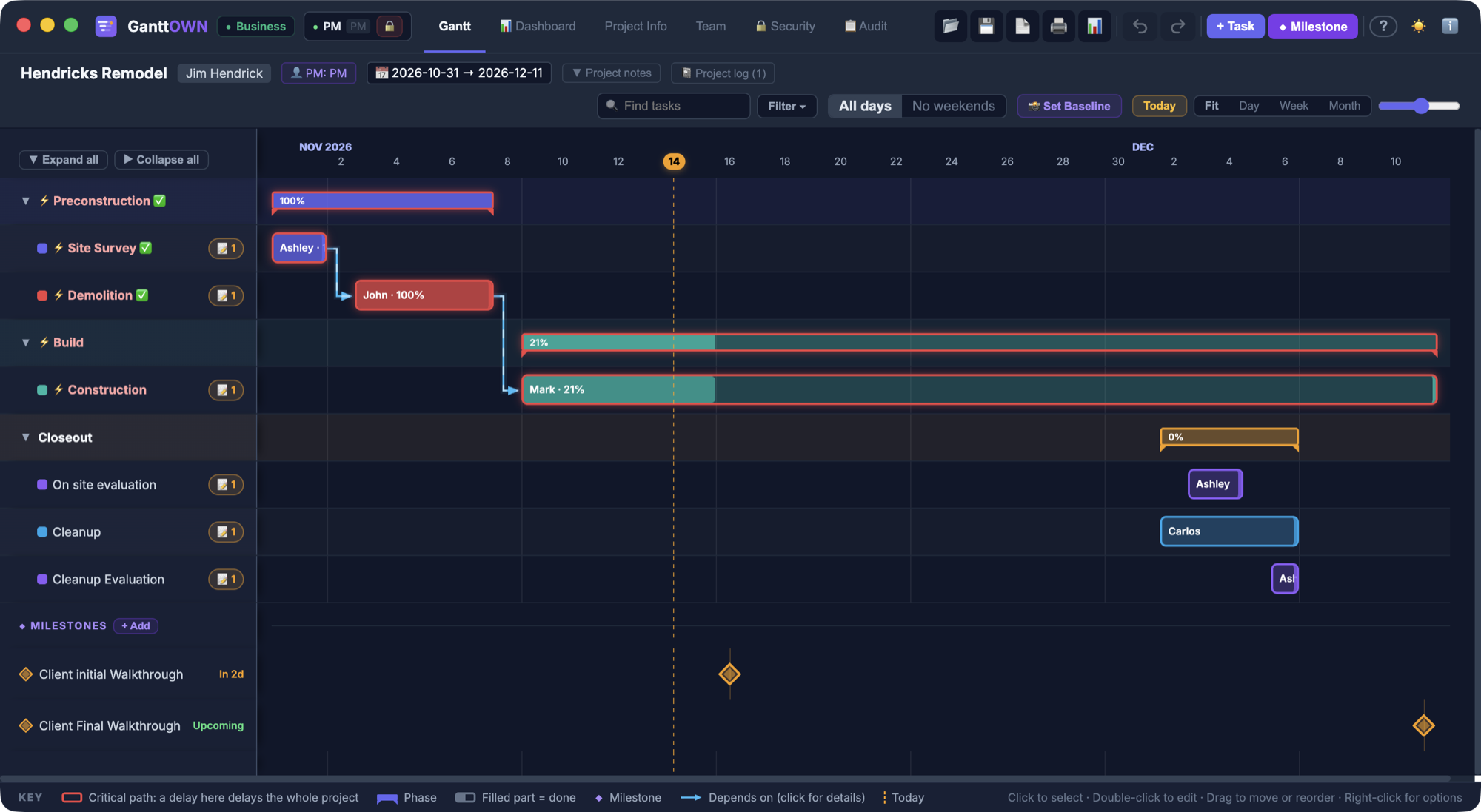
- Phases that roll up progress, and collapse with one click.
- Dependencies with lag in working days. Late work pushes everything after it. Moving a task earlier does not pull the others along.
- A red critical path, a baseline you can compare against, and milestones.
- Weekends and holidays off the calendar.
- Import from Excel, CSV, or Microsoft Project XML.
- A PDF report, an Excel export, a PNG, and printing.
- On Team and Business, a password per person, date-change approvals, a project log, and an audit trail.
A password locks who can sign in. It does not encrypt the file. Keep a confidential plan in a protected folder. GanttOWN also has no iPhone or iPad app, and it does not level resources.
Looking at Merlin instead? Here is that comparison.
Pay once. Keep the file.
macOS 13 or later. The plan stays on your Mac, and you have 14 days to ask for a refund.
See pricing →